
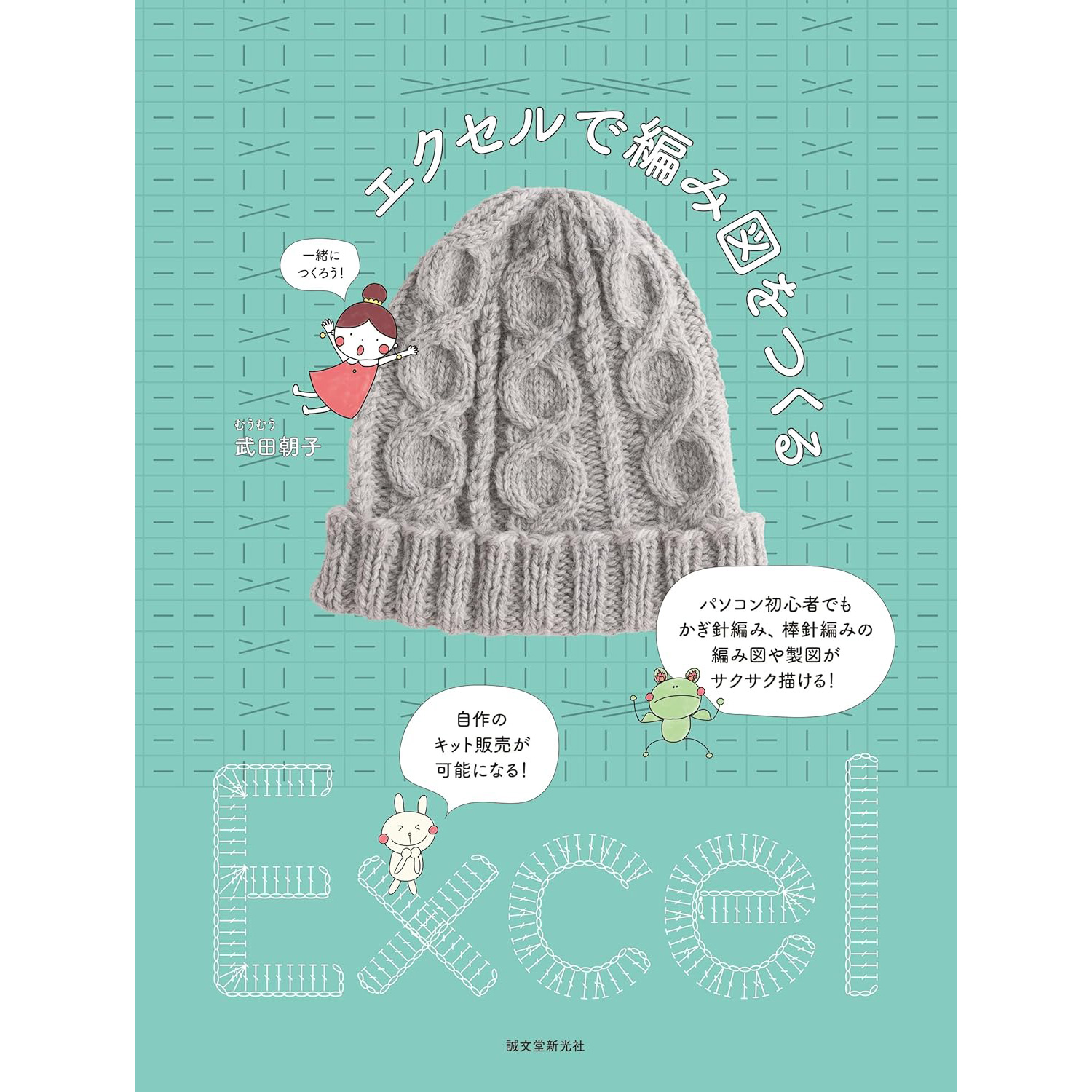
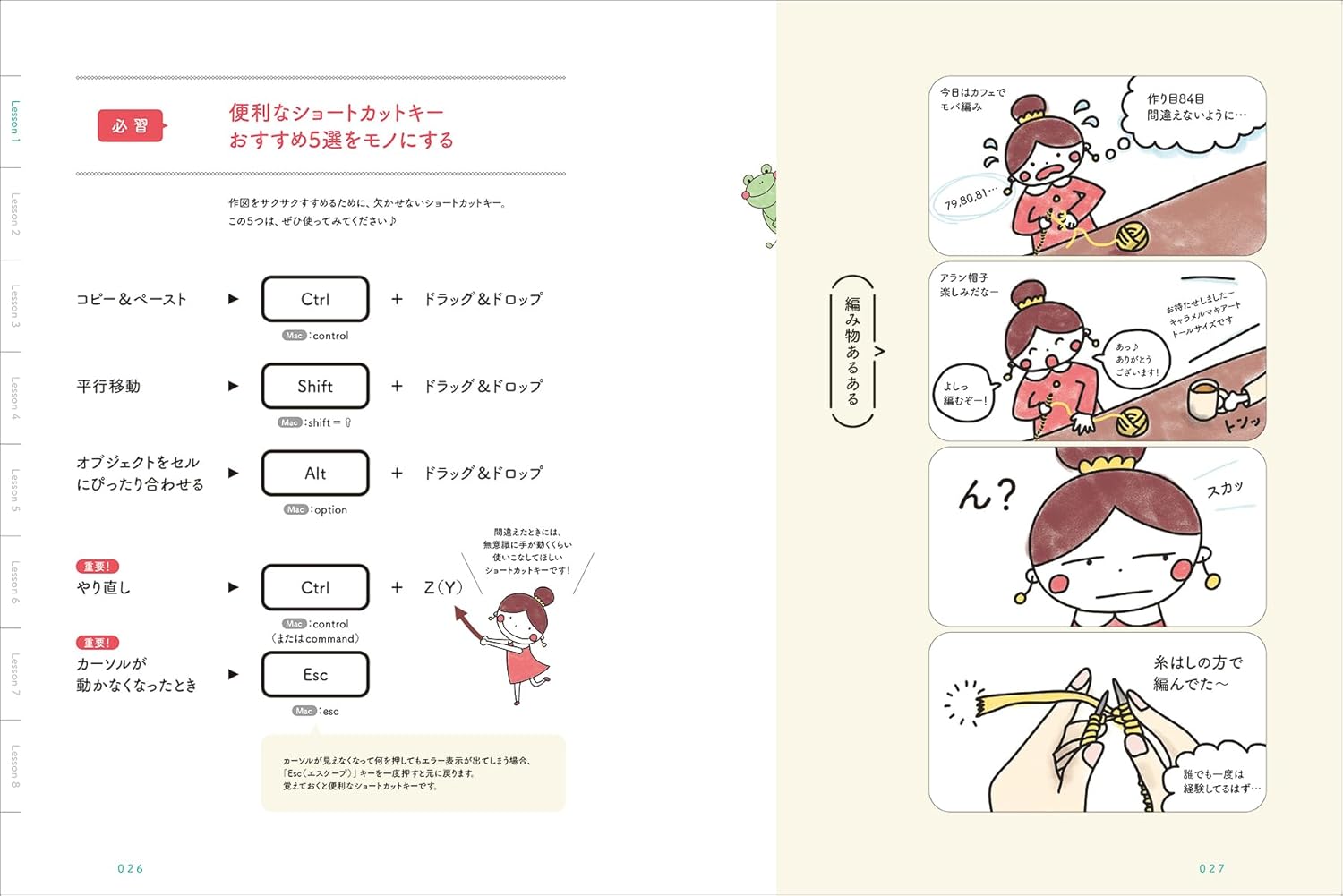
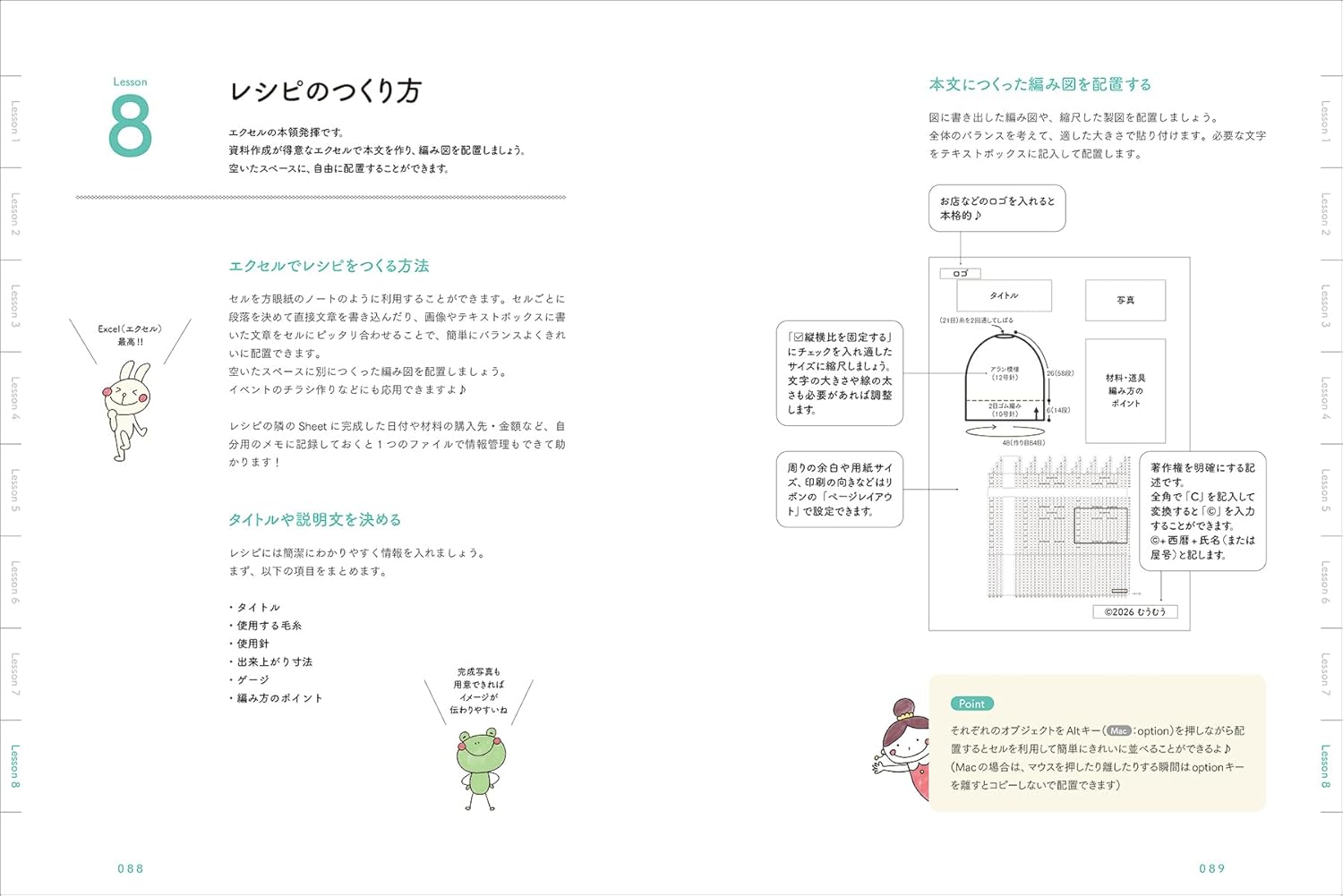
SDS52517 Creating a knitting pattern in Excel Written by Asako Takeda (book)
Product
Even computer beginners can easily draw crochet and needle knitting patterns and drafts! You can now sell your own kits.
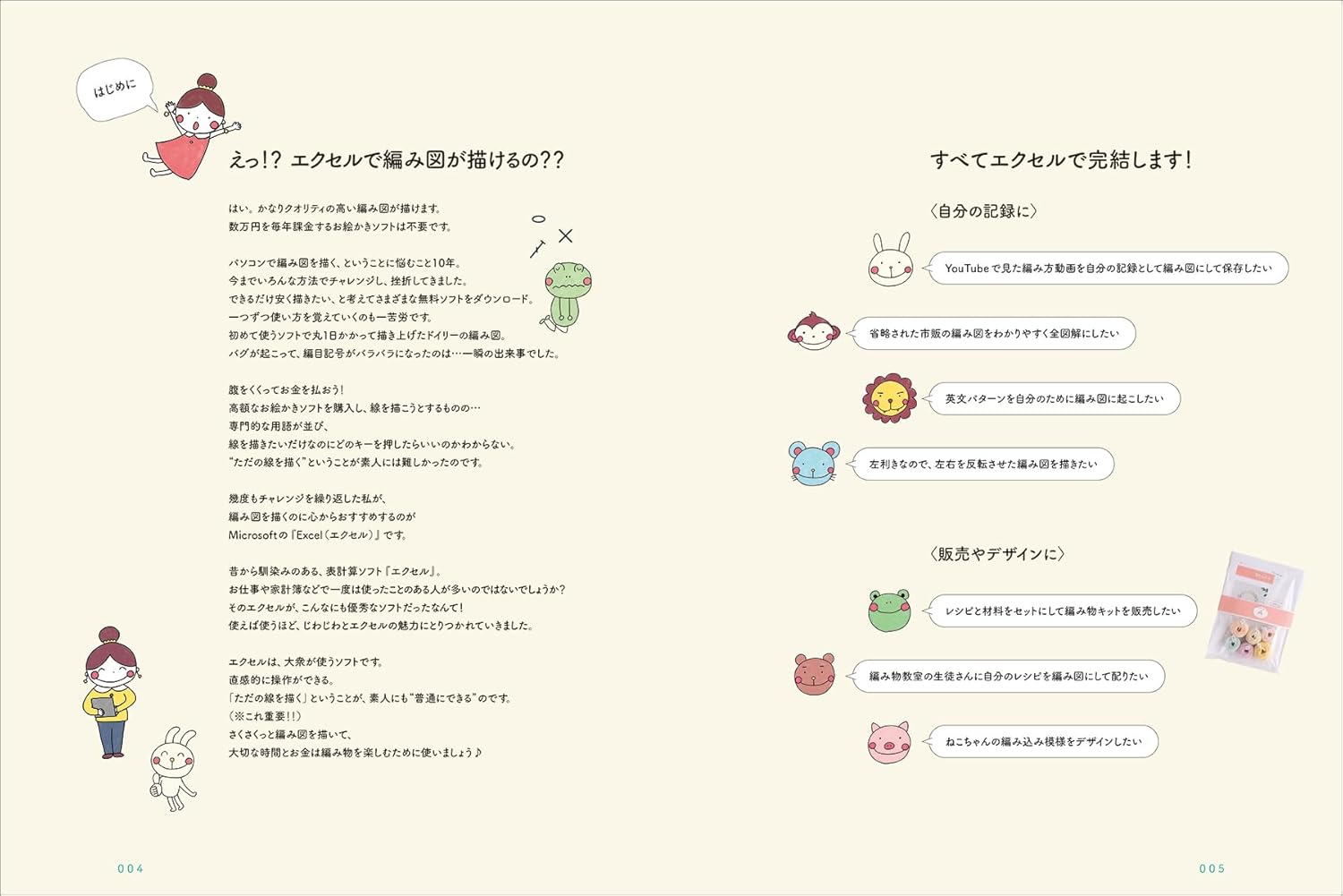
Professionals often use Adobe Illustrator to draw the ``knitting patterns'' necessary for knitting, but I hear that many people who love handicrafts find it difficult to use Adobe Illustrator.
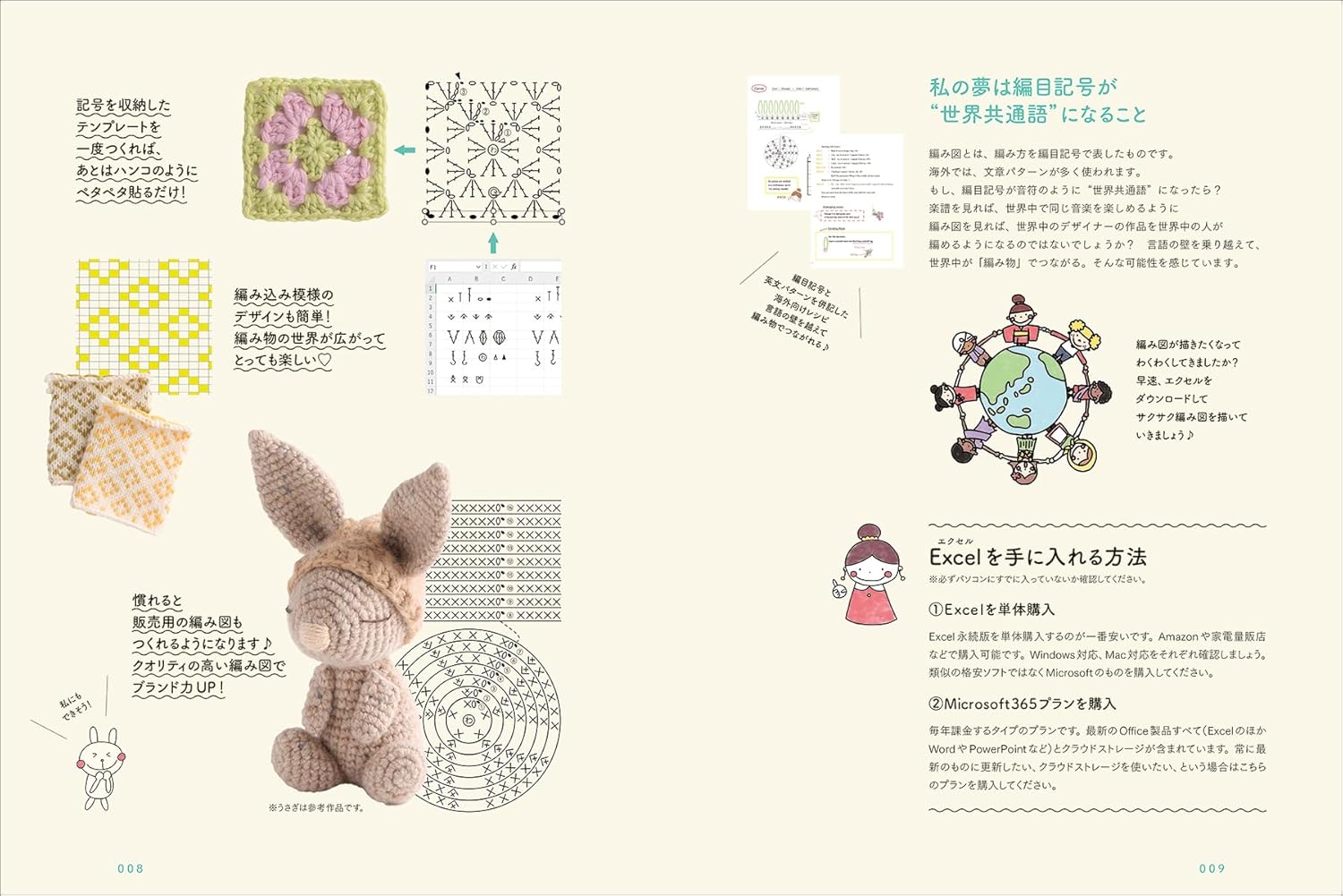
This book teaches you how to create knitting patterns in Excel. Not only people who want to draw their own knitting patterns, such as those who want to make knitting works and sell them as kits (materials + knitting patterns), but also knitting instructors, knitting artists, etc., may also create knitting patterns for workshops or customer service.For those who work in knitting, knitting can increase contact with customers and provide an opportunity to earn income.
The author, Asako Takeda, runs an online Excel knitting pattern course, and in addition to those mentioned above, the people who come to the course include those who want to draw knitting patterns from English patterns from foreign knitting books, and even people who simply want to draw knitting patterns as a hobby to improve their computer skills (left-handed people sometimes take the course to redraw knitting patterns from books for left-handed people).
Excel is familiar in Japan and is easy to use for a wider range of people. For those who want to make knitting patterns, this book is sure to help you create patterns for stick knitting and crochet!
★★★Purchaser benefits★★★
We will give away Amigurumi's ``Procedure manual for drawing the body knitting pattern'' (not included in this book).
(You can download and view it for free from the description on the cover flap)
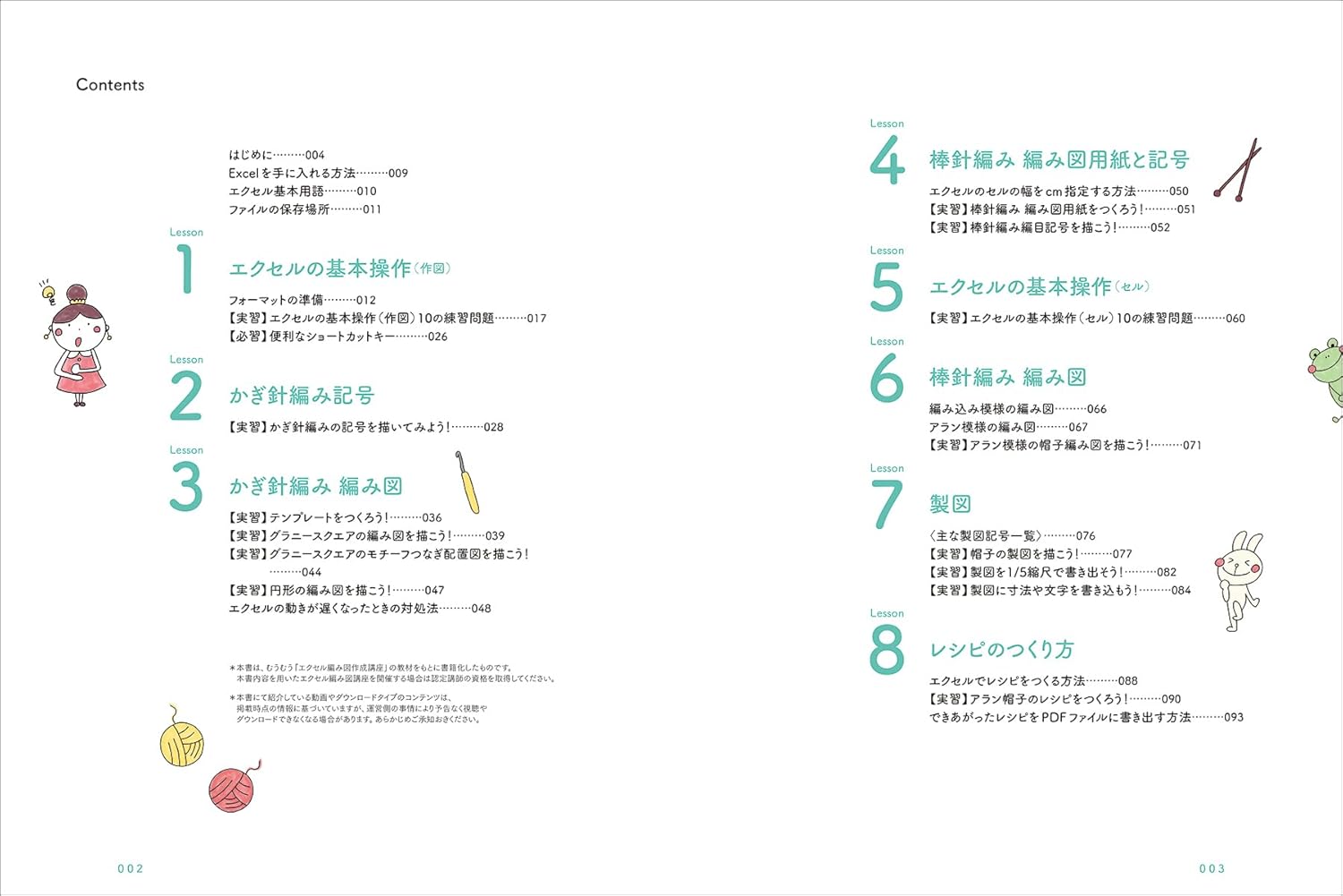
■Table of contents
Lesson1 Basic Excel operations (plotting)
Lesson2 Crochet symbols
Lesson3 Crochet pattern
Lesson 4 Stick needle knitting pattern paper and symbols
Lesson 5 Basic operations of Excel (Cell)
Lesson6 Stick needle knitting pattern
Lesson7 Drafting
Lesson8 How to make a recipe
[Author introduction]
Asako Takeda: Knitting instructor. He runs the ``Excel knitting pattern creation course,'' which allows even computer beginners to draw knitting patterns one after another in one month.
I draw knitting patterns the fastest and cheapest, and my motto is ``money goes into yarn'' and ``time goes into knitting''. So far, she has received orders from yarn manufacturers to create knitting patterns and sold original kits.
Received the Minister of Education, Culture, Sports, Science and Technology Award (top nationally) in the knitting skills test wool grades 1 to 3 and lace grade 1 four times. She is knowledgeable about knitting in general.
He is good at building and teaching curriculum that makes vast amounts of knowledge easy to understand. Operates 5 knitting classes in Asahikawa City, Hokkaido.
Selling lessons overseas to Hong Kong and LA using video calls with translation function.
Publisher: Seibundo Shinkosha
Release date: 2026/1/19
Language : Japanese
Book length: 96 pages
Product weight: 290 g
Dimensions: 18.5 x 0.8 x 24.8 cm
Professionals often use Adobe Illustrator to draw the ``knitting patterns'' necessary for knitting, but I hear that many people who love handicrafts find it difficult to use Adobe Illustrator.
This book teaches you how to create knitting patterns in Excel. Not only people who want to draw their own knitting patterns, such as those who want to make knitting works and sell them as kits (materials + knitting patterns), but also knitting instructors, knitting artists, etc., may also create knitting patterns for workshops or customer service.For those who work in knitting, knitting can increase contact with customers and provide an opportunity to earn income.
The author, Asako Takeda, runs an online Excel knitting pattern course, and in addition to those mentioned above, the people who come to the course include those who want to draw knitting patterns from English patterns from foreign knitting books, and even people who simply want to draw knitting patterns as a hobby to improve their computer skills (left-handed people sometimes take the course to redraw knitting patterns from books for left-handed people).
Excel is familiar in Japan and is easy to use for a wider range of people. For those who want to make knitting patterns, this book is sure to help you create patterns for stick knitting and crochet!
★★★Purchaser benefits★★★
We will give away Amigurumi's ``Procedure manual for drawing the body knitting pattern'' (not included in this book).
(You can download and view it for free from the description on the cover flap)
■Table of contents
Lesson1 Basic Excel operations (plotting)
Lesson2 Crochet symbols
Lesson3 Crochet pattern
Lesson 4 Stick needle knitting pattern paper and symbols
Lesson 5 Basic operations of Excel (Cell)
Lesson6 Stick needle knitting pattern
Lesson7 Drafting
Lesson8 How to make a recipe
[Author introduction]
Asako Takeda: Knitting instructor. He runs the ``Excel knitting pattern creation course,'' which allows even computer beginners to draw knitting patterns one after another in one month.
I draw knitting patterns the fastest and cheapest, and my motto is ``money goes into yarn'' and ``time goes into knitting''. So far, she has received orders from yarn manufacturers to create knitting patterns and sold original kits.
Received the Minister of Education, Culture, Sports, Science and Technology Award (top nationally) in the knitting skills test wool grades 1 to 3 and lace grade 1 four times. She is knowledgeable about knitting in general.
He is good at building and teaching curriculum that makes vast amounts of knowledge easy to understand. Operates 5 knitting classes in Asahikawa City, Hokkaido.
Selling lessons overseas to Hong Kong and LA using video calls with translation function.
Publisher: Seibundo Shinkosha
Release date: 2026/1/19
Language : Japanese
Book length: 96 pages
Product weight: 290 g
Dimensions: 18.5 x 0.8 x 24.8 cm
- Product name
- SDS52517 Creating a knitting pattern in Excel Written by Asako Takeda (book)
- Product code
- SDS52517
- Original price
- 1,800 JPY
- Wholesale Price
- Our Prices are Only Visible to Members
Wholesale Price/Quantity


Search by Category
Fabric
- Fabric
- Plain Fabric
- Yarn Dyed
- Linen/Cotton Linen
- Denim/Canvas/Syn Leather
- Quilting/Laminated
- Japanese Traditional
- Organdy/Tule/Satin
- Nylon/Vinyl
- Gauze/Knit
- Import
- Patchwork
- Batting/Interlining
- Embroidery Thread
- Embroidery Fabrics
- Embroidery Supplies
- Sashiko/Kogin
- Embroidery Kits
- Embroidery Ribbons
Sewing Tools/Notions
Cord
- Sewing Machine Supplies
- Marking/Rulers
- Scissors/Cutter/Mat
- Needle/Pins/Thimble
- Iron
- Stuffing/Pattern
- Adhesive/Clips/Tapes
- Patchwork Supplies
- Kimono-making Tools
- Spatula/Punches
- Books/Magazines
Cord
Clothing Materials
- Button/Hook
- Zipper/Velcro
- Elastic/Stay Tape
- Lining/Interfacing
- Bias Tape
- Patches
- Bra Finding/Shoulder
- Safety Pin/Size Tape




Category
- Sales
-
Events & Specials
- Fusible interfacing: final sale before price increase & marking supplies
- Just pass it through the base! Ballpoint pen and mirror deco with fun custom beads to choose from
- Recommended items for making sticker books and puffy parts
- Parasols and Sun Protection Crafts
- Summer item Collection
- Summer Yarn Collection
- Crafting for Summer
- 型紙と裏地を使ったソーイング特集
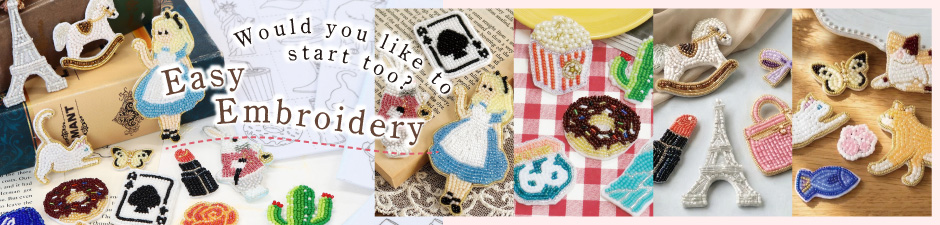
- Start Today! Easy Embroidery on Felt
- 新柄生地★フルーツinフルーツを使って♪
- From Korea ! Knitting Products Series [ Knit Wit ]
- 斉藤謠子先生 新刊『私の好きな10の服』使用生地が特価!先生おすすめアイテムもご紹介♪
- Ribbon Knitting Bag
- American Flower
- 人気書籍 [ amuhibi ]×おすすめ毛糸
- 流行中!くつした編み特集
- 話題急上昇!?刺しゅう糸で編み物。
- リボンモチーフ特集
- 刺しゅうクロスZWEIGART(ツヴァイガルト)特集
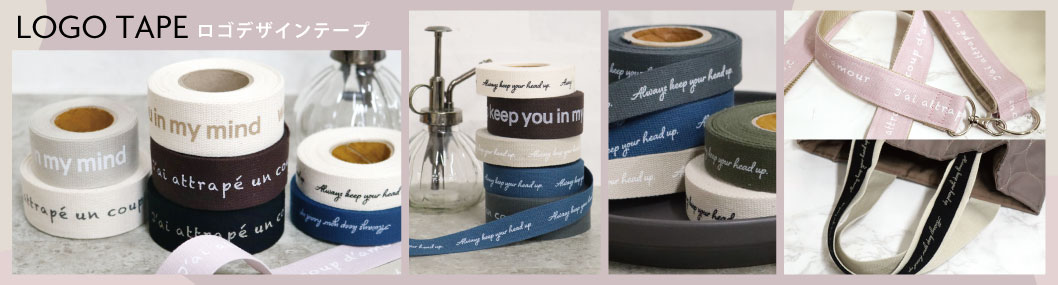
- NEW!デザインロゴテープ&おすすめ金具特集
- 2way Tote Bag
- 韓国特集!~話題の商品集めました~
- Popular in Korea ! Moll doll Korean miscellaneous goods
- 人気のシマエナガ特集!
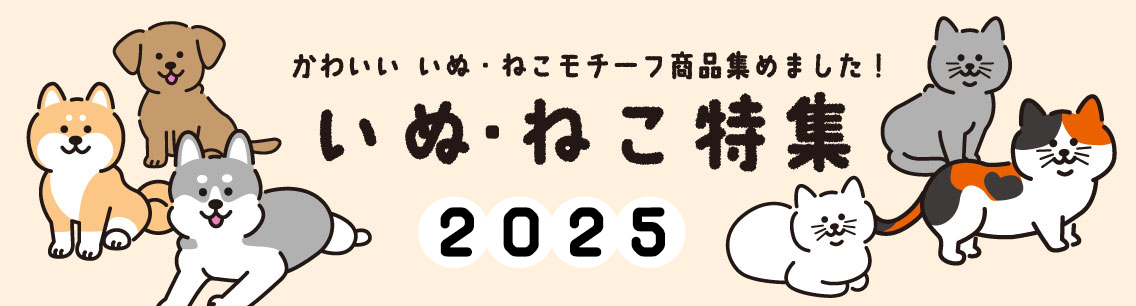
- Dog & Cat’s
- ポケおり特集
- ★ビーズ刺し子特集★
- 取り付け簡単!話題のネジ式商品!
- 【動画&レシピあり】インド刺繍リボンでつくる簡単こもの
- Alice Makabe kit & fabric special feature
-
☆Recipes Ranking in popularity☆
- 第1位 ヌビで作るマチありバッグ
- 第2位 12cmファスナーのかんたん・かわいいリュックポーチ
- 第3位 カットクロスで作る小物セット
- 4位 ナイロンオックスで作るボックスポーチ
- 5位 ヌビで作るマチなしポーチ
- 6位 縫わずに作れる貼るだけ簡単ヘアアクセサリー
- 7位 フラグメントケース
- 8位 つまみ細工の花手水
- 9位 くし型口金のカエルさん
- 10位 がま口ショルダーバッグ
- 11位 カットクロスでつくるパッチワークポーチ
- 12位 スケルトンファスナーで作るサコッシュ
- 13位 刺しゅうリボンで簡単可愛い!アクセサリー作り
- 14位 両面テープだけで作れる簡単パフカチューシャ&デフトバン
- 15位 カラフルファスナーのミニマムポーチ
- New original standard product
- consumable goods
- Chuko's products have been featured in a magazine!
- UV resin and clay recommended for making accessories
- Shoulder strap for smartphone
- Youtube channel introduction page “Collaboration Shopping”
- Chuko Original Fabric
- Jute Bag Arrangement Collection
- You can knit too! Beyond the Reef Special Feature
- Japan Made Scissor Special
- Making Macrame Bag with Waxed Cord
- Macrame
- La Marchen Special
- UV Resin Accessory Special
-
Easy to Make Accessories
-
Accessory Collections
- 和墨ビーズで作るアクセサリー
- REC1083 両面テープだけで作れる簡単パフカチューシャ
- カラーストーン×淡水パールアクセサリー
- REC1082 ジョイントパーツで作るネックレス
- レジン×ドライフラワーアクセサリー
- ミルフィオリ&イニシャルビーズアクセサリー
- REC1081 縫わずに作れる貼るだけ簡単ヘアアクセサリー
- REC1080 手染めビーズでつくるアクセサリー
- REC1079 刺しゅうリボンで簡単可愛い!アクセサリー作り
- REC1078 刺しゅうリボンで作るヘアアクセサリー
- パール付ヘアクリップ
- レジン×タッセルピアス
- レジンピアス
- スウィングパーツピアス
- 淡水パール付ピアス・イヤーカフ&チェーンネックレス
- REC1077 小粒淡水パールで作る華奢アクセサリー
- 刺しゅうリボンで作るピアス・イヤリング
- REC1076 刺しゅうリボンでつくるヘアアクセサリー
- イヤーカフ
- REC1074 シルバー925×イヤーカフ
- REC1073 アクセサリーボタンで作るイヤリング・ピアス
- レザーシートで作るバレッタ・ポニーフック
- REC1072 レザーシートで作るヘアアクセサリー
- REC1071 レザーシートで作るピアス&イヤリング
- ボタニカルビーズ×すくも藍ビーズを使ったリング・ブレスレット
- ボタニカルビーズ×すくも藍ビーズを使ったリーフイヤリング・ピアス
- ボタニカルビーズを使ったビーズ刺しゅうピアス
- REC1068 フェザー×ウッドパールのアクセサリーたち
- REC1069 ボタニカルビーズを使ったビーズ刺しゅうイヤリング
- REC1067 レース×淡水パールのアクセサリーたち
-
Trend
- メタルフレーム×レジンの透け感イヤリング・ピアス
- REC1060 メタルフレーム×レジンの透け感イヤリング・ピアス
- マリンチャームで作るネックレス?
- REC1059 マリンチャームで作るネックレス
- REC1058 ワイヤーで作るボタニカルなイヤリング
- ワイヤーで作るヘッドドレス(大)
- REC1057 ワイヤーで作るヘッドドレス
- 淡水パールを使ったリング・ブレスレット
- 淡水パールを使ったピアス・イヤリング
- REC1056 淡水パールを使ったアクセサリーたち
- REC1054 ウッドパール・ビーズを使った春アクセサリー
- アメリカンピアス
- ウッドパールを使ったピアス・イヤリング
- REC1053 ウッドパールを使った春アクセサリー
- REC1052 パールレーンイヤリング
- REC1051 チェーンタッセルピアス
- メタルプレート×パールリングイヤリング
- パールチェーンイヤリング
- REC1050 シャンデリア・シャンパンイヤリング
- ヘアアクセサリー
- UVレジン立体ブローチ
- スパイラルピアス・ダイヤレーン×パールピアス
- REC1049 パール・ビジュー付チュールイヤリング
- REC1048 ビーズタッセルピアス・イヤリング
- REC1047 レジンリングチェーンピアス
- チャーム付きマリンブレスレット
- パール付き2連ネックレス
- パール付きしずくフープピアス
- REC1045 ビーズフリンジのフープイヤリング
- REC1044 チェーンタッセルイヤリング
- シフォン蝶付フラワーイヤリング
- REC1042 シフォン蝶付チェーンピアス
- REC1041 シフォン蝶付スパイラルイヤリング
- リング付きパールピアス
- REC1040 小枝パールネックレス
- REC1039 小枝パールピアス
- REC1038 クリスタルガラス付きワイヤーピアス
- REC1036 パールとメタルパーツのピアス
- REC1033 チェーン付スパイラルピアス
- REC1032 チャーム付きスパイラルネックレス
- REC1031 ツイストバチカン×パールピアス
- ボタンイヤリング
- ラインストーン付チュールのフープイヤリング
- REC1029 チュールのレインボーピアス
- REC1028 チュールリボンのロングピアス
- REC1027 チェーン付フリルのフープピアス
- REC1026 転写パール付きチュールタッセルピアス
-
My Collection
- REC1024 フレームデザインピアス
- REC1023 コットンパールロングピアス
- REC1022 バランスパールピアス
- REC1021 ポイントパールピアス
- つつみボタン付ヘアゴム
- つつみボタンピン
- ストーン付きピアス
- つつみボタンイヤリング
- パール付きバッグキャッチ付きピアス
- REC1016 マカロンネックレス
- Pearl & Swarovski Hair Stick
- Dry Flower Resin Hair Stick
- Pearl Earrings
- Rhinestone Bangle
- Leaf & Charm Long Earrings
- Dip Flower Necklace
- Dip Flower Ear Clips
- Dip Flower Earrings
- Hair Pins w/ Charms
- Swarovski Hair Comb
- Pearl Hair Comb
- Charm & Pearl Hair Comb
- Chain Hair Pin
- 2-way Hair Chain
- Beaded Hair Chain
- Pearl & Stone Hair Chain
- 3 Row Cotton Pearl Earrings
- Cotton Pearl Threader Earrings
- Glasses Beads Necklace
- Beading Earrings
- Cotton Pearl Wire Bracelet
- Cotton Pearl Wire Necklace
- Glass Stone Threader Earrings
- Number Charm & Glass Stone Necklace
- Number Charm & Glass Stone Plate Chain Earrings
- Metal Plate Bracelet
- Metal Plate Necklace
- Ribbon Choker
- Charm Chain Ring
- Metal Frame x Tassel Necklace
- Pebble Hoop Earrings with a Turquoise Bead
- Seasons
-
Accessory Collections
- 2026 New Year's Special
- Back to School Collection
- "Hinamatsuri" Doll's Festival
- Boy's Day (Children's Day) Special
- Mother's Day
- DIY Wedding Party
- Autumn/Winter Fabric Special
- Halloween Special
- Christmas Special
- For International Customers
- Shop by Material!
- Pre-Order
-
Fabric
- Newest Fabrics
- Solids / Plain Fabric
-
Print Fabric
- Japanese
- Imported fabric
- Sheeting, Broad, Lawn, Scare
- Oxford, canvas, twill
- 麻・綿麻
-
Search by Pattern
- Dot/Stripe/Check
- Flower
- plant
- Animals, Creatures
- Foods
- Vehicles
- Scandinavian style pattern (interior)
- Hawaiian
- For Patchwork
- Traditional Japanese Pattern
- Gradation / Tie-dye
- Alphabetic characters, numbers
- sewing
- heart / star
- Paris / Jouy
- geometric patterns
- Character / illustration
- Christmas
- Halloween
- Gobelin and Jacquard
- Linen&Cotton/Linen Fabric
- ソーイング向け
- For patchwork and quilting and Yarn Dyed
- Denim/Hickory
- Gauze / Double-Gauze
- nubi
- Quilting
- Nylon
- Japanese Pattern / Chirimen
- Tulle and organza
- Satin/Moire
- cut cross set
- Vinyl, mesh
- Synthetic leather and others
- Embroidery fabric / lace fabric
- Laminated Fabric
- Chuko Original Fabric
- Illustrator Sabu × Nippon-chuko Collaboration
- MAISON bornne BY BENEBENE
- MARY QUANT
- yukiemon
- Sunbonnet Sue
- Yoko Saito
- Kathy's Hawaiian Fabrics
- Maison de Fabricシリーズ
- Patchwork collection
- Margaret&sophie
- Honey Tune
- SUN DRYING -サニードライ-
- Takashima Fabrics
- Special Quiltings
- Imported Fabric
-
Notions & More
- Zippers
- Buttons
- Jeans Buttons & Snaps
- Velcro
- Elastics, Waist Makers
- Bias
- Fusible Tape
- Hem tape and repair products
- Pat / Corset
- Patches, appliques, bibs
- Buckles & Rings
- Gauze, bleachingCotton, laundry supplies
- Safety pins & snap pins
- Books about Sewing
-
Sewing Tools
- Needle
- Dressmaking Supplies
- Sewing Machine Supplies
- Scissors / Cutter / Cutting Mat
- Drawing / Marking Supplies, Pattern Weight / Torso
- Iron / Ironing Board
- Japanese judgment
- Patchwork
- Fabric Glue / Adhesive / Double-sided tape / Solvent for Handicrafts
-
Thread
-
Machine Sewing Thread
-
Household sewing thread
- SCHAPPE Spun #60 for Mediumweight Fabric
- SCHAPPE Spun #90 for Lightweight Fabric
- SCHAPPE Spun #30 for Heavyweight Fabric
- [Household Thread] HIGH Spun Serger Thread #90
- Spun sewing thread
- [Household Thread] Fine sewing thread #50 for regular fabrics
- [Household Thread] Jeans Stich Thread #20
- [Household Thread] Knitt Sewing Serger Thread #60
- [Household Thread] Resilon Sewing Thread for Knits #50
- [Household Thread] Metallic Sewing Thread
- [Household Thread] TIRE Color Stich #30
- [Household Thread] TIRE Silk Sewing Thread #50
- [Household Thread] Sewing Thread for Bag-Making
- [Household Thread] KING Leather Sewing Thread #30
- [Household Thread] King Star Machine Embroidery Thread
- [Household Thread] Sparkle Lame Sewing Thread #40
- [Household Thread] TIARA Variegated Silk Thread #50
- [Household thread] Katan thread
- machine embroidery thread
- [Household Thread] Woolly Lock Sewing Thread
- [Household Thread] Woolly Lurex Serger Thread
- [Household Thread] Rolled Hem Serger Thread #100
- [Household Thread] Mono-color Transparent Sewing Thread
- Elastic Thread for Shirring
-
Industrial sewing thread
- KING Polyester Spun Serger Thread #20
- KING Polyester Spun Serger Thread #30
- KING Polyester Spun Serger Thread #50
- KING Polyester Spun Serger Thread #60
- KING Polyester Spun Serger Thread #90
- [Industrial Thread] KING Polyester Filament Sewing Thread
- [Industrial Thread] Kingfit Sewing Thread #60
- [Industrial Thread] King Resilon F Sewing Thread #50
- King Star Multicolor Machine Embroidery #50
-
Household sewing thread
-
Quilting Thread
- Piecing Thread
- quilting
- applique
- basting thread
- SCHAPPE Quilter #50 250m
- SCHAPPE Quilter Soft #50 50m
- Quilter FARM #50 150m
- Patchwork COTON #50
- PICE #60
- Dual Duty Plus #40
- Dual Duty All-Purpose Handsewing Thread #55
- Dual Duty Muti Color #40
- Duet #60
- Mettler Quilting Thread #60
- METALY Quilting Lurex
- Candlewicking Thread
- Sample Book
-
Hand-sewing Thread
- HI-SPUN Button Thread
- TIRE Silk Hand Sewing Thread #9
- TIRE Silk Buttonhole Thread #16
- FINE Hand sewing Thread #50
- SCHAPPE SPUN Hand Sewing #45
- DARUMA Home Thread #30 #20
- MOCHITE Hand Sewing Thread for Leather #8
- TIARA Variegated Thread #50
- Ornamental Thread
- Silk Thread
- MIYAKO TEMARI Decration Thread
- Japanese Craft Thread
- Cotton Thread
- Lurex / Glittering Thread
- Basting Thread
- Japanese Craft Thread
- Thread for Special Purposes
- Spool / Thread Holder
-
Machine Sewing Thread
- Batting / Interfacing / Filling
-
Bag Making Materials・Purse Frames
- Handles
- Shoulder Bag Handles
- Handle Interfacings / Handle sewing thread
- tape
- Bag Hardware
- Rivets & Studs& Eyelets
- leather goods for bags
- コバ処理剤
- Purse Frames
- Misc. Supplies
-
Ribbon / Lace / Tape
- Ribbons
- Lace
- Braids & Fringe
- Leather Tapes & Cords
- Tapes
- Cords
- Tassels
-
Accessory
- Accessory Findings & Bases
- Tools/Tools/Bond
- Charms and design parts
- Rhinestones / Decorative parts
- Strechy String / Wire / Clear Elastic
- Pearl Beads
- Beads
- Sequins & Spangles
- Leather Cords
- Accessory Chain
- Key Rings & Cellphone Straps & Carabiner
- Hair accessories and Japanese accessories
-
Misc. Crafts
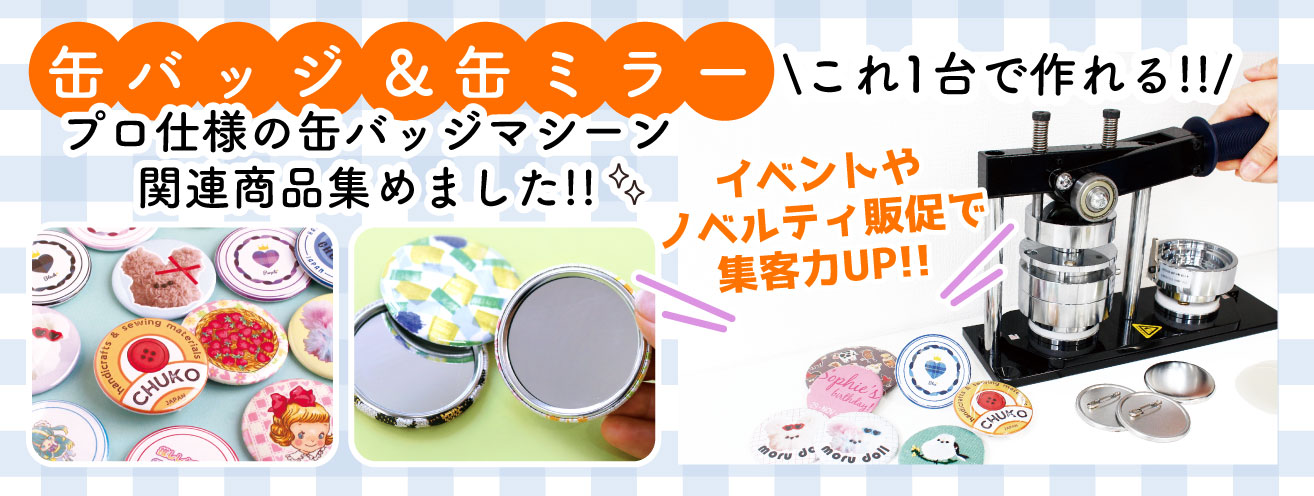
- 缶バッジ関連商材
- Resin & Shrink Plastic
- Felt & Needle Felting
- Cartonnage Supplies
- Clay&Clay tool
- Dyes
- Tole & Decorative Painting
- Stamping & Stenciling
- Cloth bags
- ディップアート・アメリカンフラワー
- Floral & Supplies
- Parasol & Hatmaking Supplies
- Bonds & Adhesives
- Doll & stuffed toy Making
- Interior materials and accessories
- PP band and craft tape
-
Japanese Crafts
- Crepe / Gold Brocade
- Japanese Pattern Fabric & Tenugui
- Crepe Yarn & Temari Yarn
- Crepe Yarn & Cords
- Japanese Tassels
- Crepe Parts & Figurines
- Tsumami Crafts
- Japanese accessories/Japanese miscellaneous goods materials
- Japanese decorations/base materials
- Tatami Edge Tape
- 布ぞうり
- Japanese Crafting Kits
- Annual Event
- Bells
- Mizuhiki
-
Embroidery
- Embroidery/sashiko basic set
- Limited quantity!Thread Set
- Embroidery thread & ribbon embroidery
- Embroidery Supplies
- Embroidery Fabrics
- Bead Embroidery
- Punch Needle & Free Stitching
- Embroidery Frame
- Embroidery Kits & Design
- Related items and kits by artist
- SASHIKO & KOGIN Embroidery
-
Knitting
- Knitting thread
- Special thread
- Knitting Accessories
- Knitting Kit
- 韓国編み物毛糸&用品【Knit Wit】
- Plastic Rattan × Summer Handle
- Recommended handles and shoulders for knitted bags
- Dress Forms
- Nail Art Supplies
- Pet Supplies Materials
- Calendars
- Books, Magazines
- Kits
-
Manufacturer/Brand
- Chuko Originals
- acufactum
- INAZUMA
- ING-Kawamoto
- Olympus
- Organ Needles
- Ornement()
- Katsuraya Miyacozome
- KAWAGUCHI
- Captain
- Kinkame
- Kawamuraseichu
- Clover
- SAJOU
- SUN FELT
- Jasmine ジャスミン
- JUKI
- DARUMA
- DYLON
- Chaco Paper
- ZWEIGART
- Tsukineko
- DMC
- Taylor Seville
- Tougei
- TOHO
- Pioneer
- PADICO
- Panami
- Hamanaka
- piece
- Fujix
- Prym from Germany
- premax
- HOBBIX
- MIYUKI
- MARCHENART
- 山崎実業
- LECIEN COSMO
- Newest Handicraft Supplies
- Free Patterns & Recipes
- 送料無料商品
-
Price Increase Soon!
- From July,2023
- From June,2023
- From May,2023
- From April,2024
- From March,2026
- From February,2026
- From January,2023
- From December,2025
- From November,2025
- From October,2025
- From September,2025
- From August,2025
- From July,2025
- From June,2025
- From May,2025
- 2025年4月より値上げ
- From March,2025
- From January,2025
- 2025年1月より値上げ
- 2024年12月より値上げ
- 2024年11月より値上げ
- 2024年10月より値上げ
- 2024年9月より値上げ
- 2024年8月より値上げ
- 2024年7月より値上げ
- 2024年6月より値上げ
- 2024年5月より値上げ
- 2024年4月より値上げ
- 2024年3月より値上げ
- 2024年2月より値上げ
- 2024年1月より値上げ
- test
- size









Pick up

Holidays calendar

| Sun | Mon | Tue | Wed | Thu | Fri | Sat |
|---|---|---|---|---|---|---|
| 1 | 2 | 3 | 4 | |||
| 5 | 6 | 7 | 8 | 9 | 10 | 11 |
| 12 | 13 | 14 | 15 | 16 | 17 | 18 |
| 19 | 20 | 21 | 22 | 23 | 24 | 25 |
| 26 | 27 | 28 | 29 | 30 | 31 |
| Sun | Mon | Tue | Wed | Thu | Fri | Sat |
|---|---|---|---|---|---|---|
| 1 | ||||||
| 2 | 3 | 4 | 5 | 6 | 7 | 8 |
| 9 | 10 | 11 | 12 | 13 | 14 | 15 |
| 16 | 17 | 18 | 19 | 20 | 21 | 22 |
| 23 | 24 | 25 | 26 | 27 | 28 | 29 |
| 30 | 31 |
Holidays

